In the last few months we have developed a new electronic attendance system based on Raspberry Pi. The goal was to design a compact, reliable, and fully integrated solution with our FileMaker management system.
Hardware and Mechanical Design
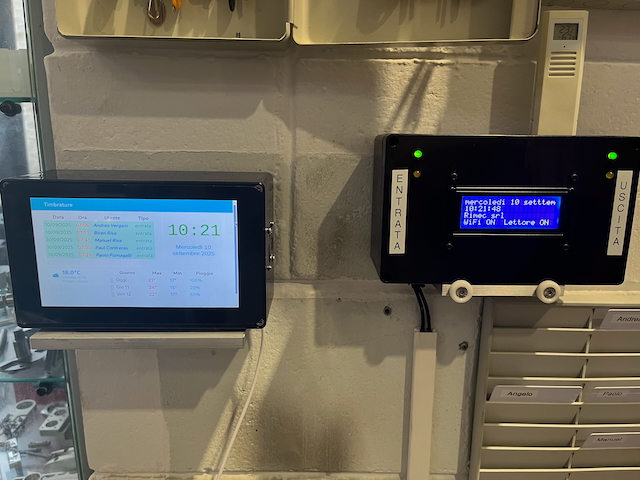
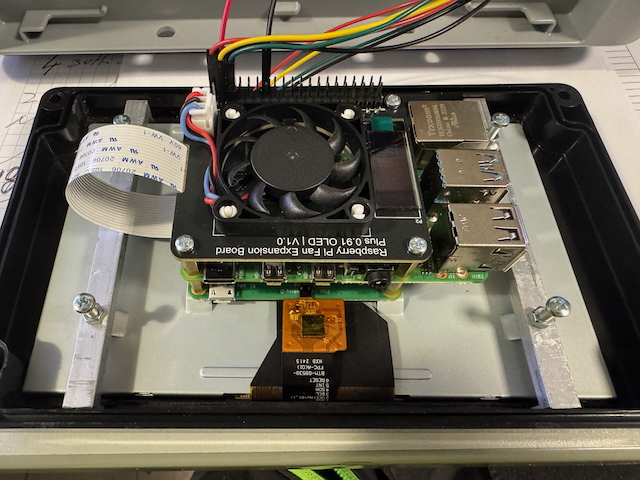
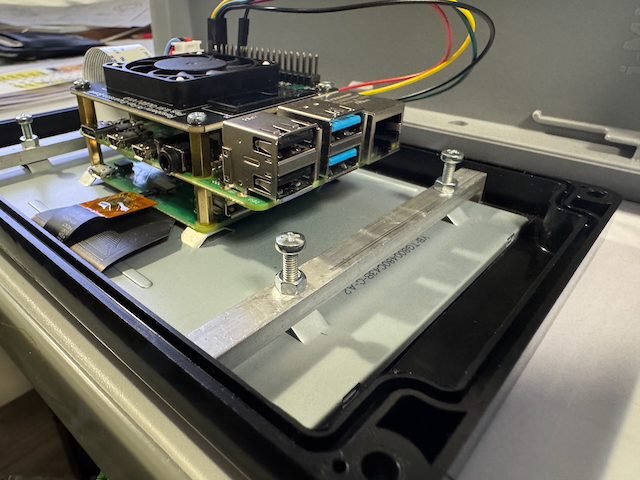
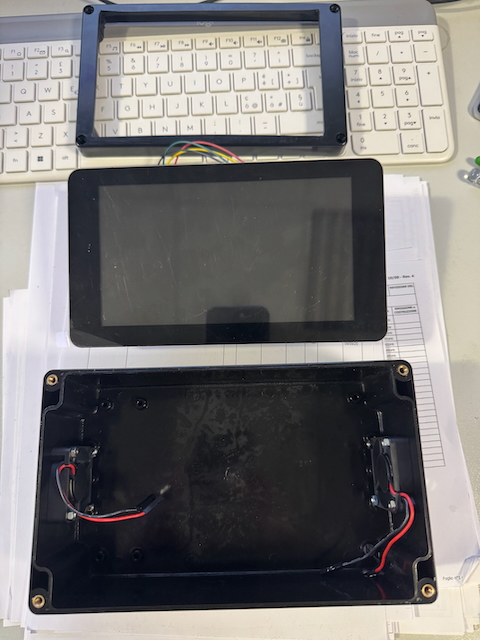
The system is built around a Raspberry Pi with the official display, mounted inside a custom enclosure. Key features include:
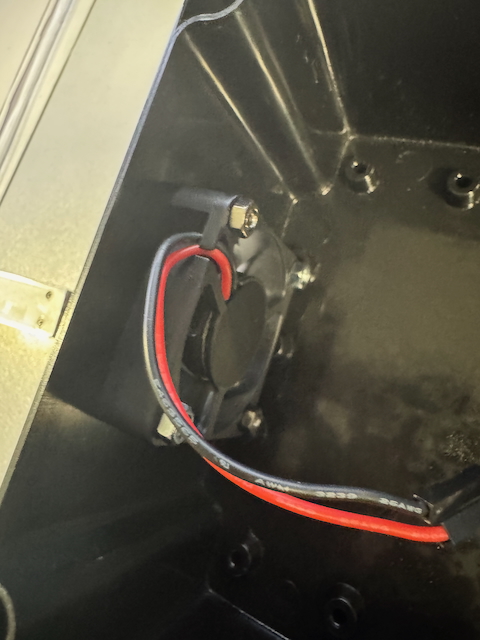
- A dedicated CPU fan to ensure stability during long operating hours,
- Two lateral cooling fans inside the box to improve airflow,
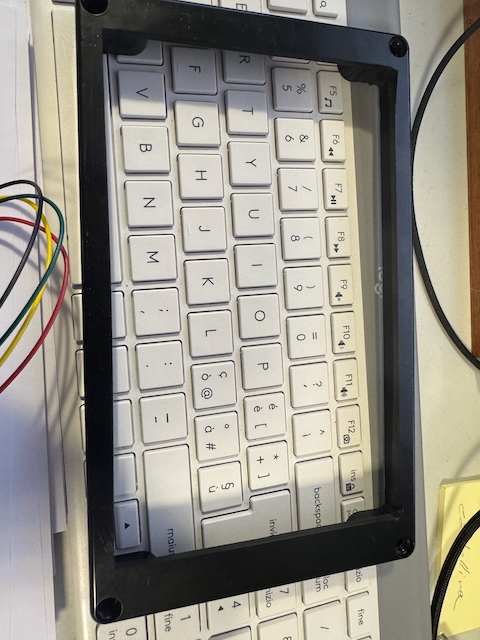
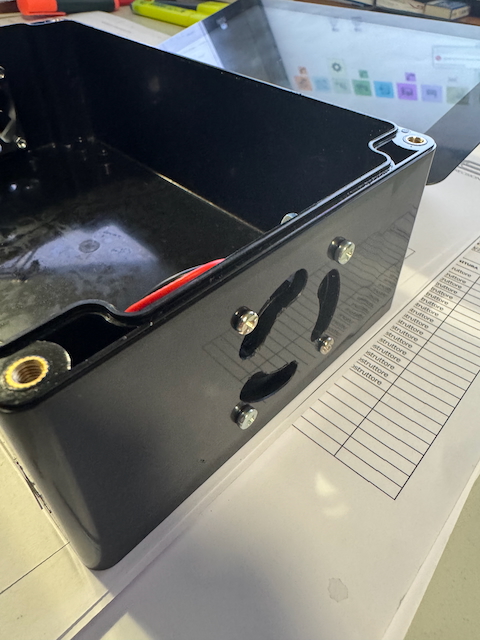
- A custom CNC-milled case that integrates the board and display in one compact body.
All mechanical parts (box, brackets, ventilation slots, and display front panel) were manufactured by our CNC milling department, ensuring precision and robustness.
RFID Reading
The system uses a USB RFID antenna, directly connected to the Raspberry Pi. Compared to our first Arduino-based prototypes, this solution is simpler and more reliable:
- Reading the card code via USB,
- Normalizing the code into hexadecimal format,
- Immediate transfer of the data to the FileMaker server.
Software and FileMaker Integration
On the software side, we implemented a Python script that:
- Reads raw data from the RFID reader,
- Normalizes it into a clean hexadecimal string,
- Sends the punch data to FileMaker via OData,
- Saves the last punch locally for on-screen visualization.
Example Python code:
import requests, time

SERVER = "https://192.168.1.27"
DB = "timbrature"
ENTITY = "timbrature"
USER, PWD = "odata", "odata"

def post_odata(uid_hex):
    payload = {
        "badge": uid_hex,
        "timestamp": time.strftime("%Y-%m-%dT%H:%M:%S"),
        "origine": "pi_usb"
    }
    r = requests.post(
        f"{SERVER}/fmi/odata/{DB}/{ENTITY}",
        json=payload, auth=(USER, PWD),
        verify=False, timeout=5
    )
    r.raise_for_status()

while True:
    uid = "0400A1B2C3"  # simulated badge read
    post_odata(uid)
    print("Punch sent:", uid)
    time.sleep(5)
On the FileMaker side, a server-side script automatically assigns the punch type (check-in/check-out) in alternating order.
User Interface and Dashboard with Node-RED
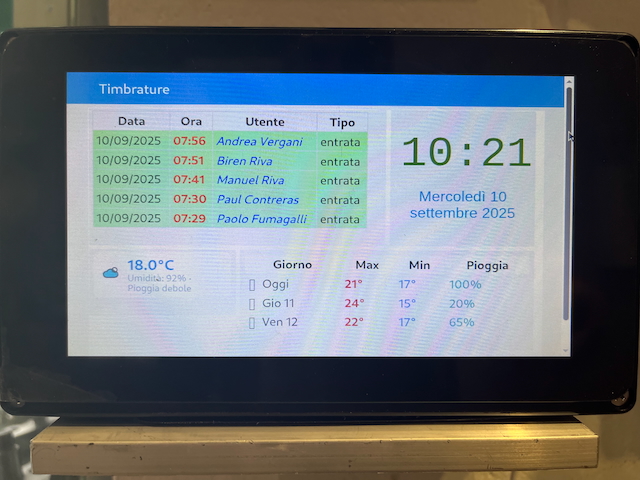
The web dashboard was developed in Node-RED, accessible directly from the Raspberry Pi browser. Main features include:
- A real-time table of people present (only last check-in per badge),
- A total counter of employees currently inside,
- A notification banner displayed on every swipe,
- A company message box synchronized with a FileMaker field.
Example Function Node (Node-RED):
// INPUT: punch list from FileMaker
const rows = msg.payload.value || [];
const latest = new Map();

for (const r of rows) {
    const b = r.badge;
    const t = new Date(r.timestamp);
    if (!latest.has(b) || t > latest.get(b)._t) {
        latest.set(b, { badge: b, tipo: r.tipo_timbratura, _t: t });
    }
}

// FILTER: only check-ins
msg.payload = [...latest.values()].filter(x => x.tipo === "ingresso");
return msg;
Example Notification Banner (Node-RED):
{
  "type": "ui_toast",
  "position": "top right",
  "displayTime": "3",
  "topic": "New punch",
  "payload": "Badge 0400A1B2C3 - 2025-09-30 21:15"
}
Final Result
The final attendance system is:
- Reliable – with active cooling and CNC custom box,
- Integrated – thanks to Python + OData with FileMaker,
- User-friendly – with dashboard, presence table, and notifications,
- Customizable – company messages managed directly from FileMaker.
Below, we will include some photos showing the assembly, the CNC-milled box, and the user interface.
Leave a Reply