Note: I do not build software as my main job. I do it because I enjoy it. I like small wins: a clean import, a good AI score, a ready-to-send email. This article explains how I built my customers_research app using FileMaker as the core, plus a bit of Python and AI via API.
Why I built the customers_research app
I needed a practical way to find good B2B prospects for CNC machining services. Finding companies is easy. Finding the right ones is not.
So I built a workflow that helps me to:
- import lead lists from the web (trade fairs, directories, PDF/Excel sources)
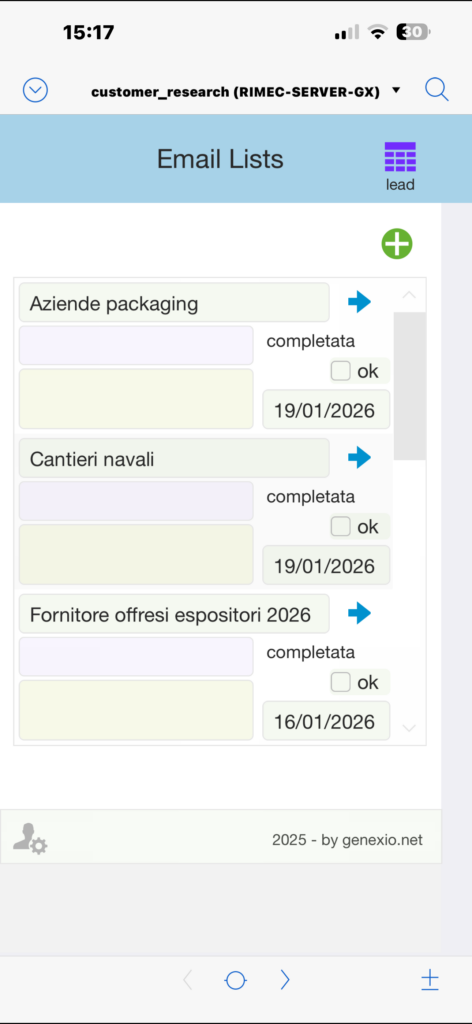
- avoid duplicates and keep research history visible
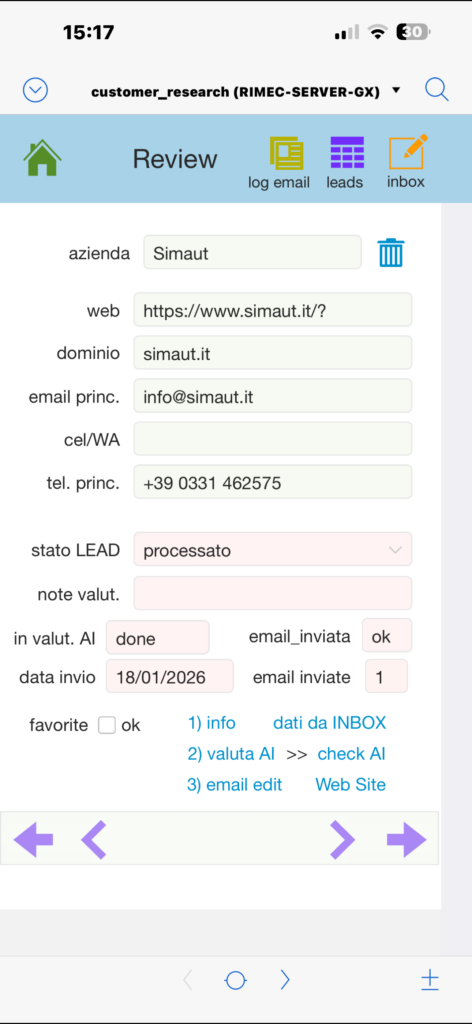
- browse and evaluate company websites directly inside FileMaker
- use AI to score leads and explain their relevance
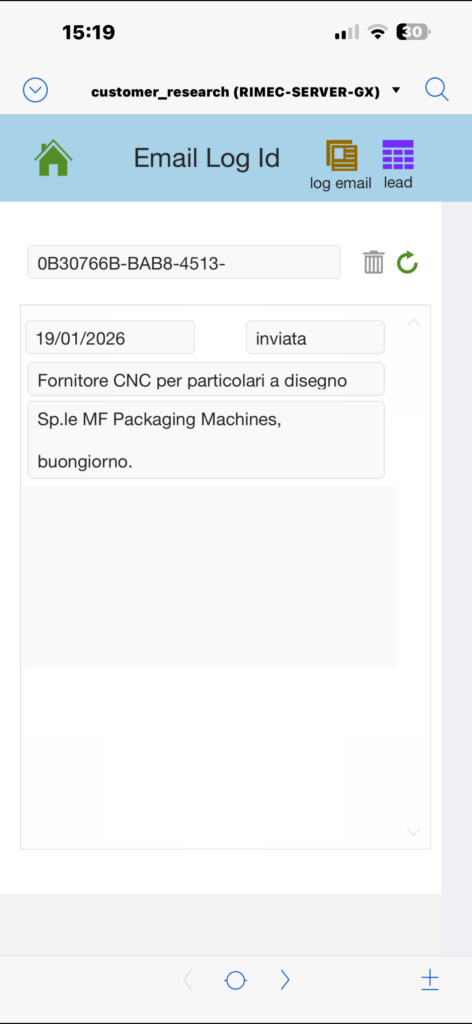
- prepare emails (first contact and follow-up) and log every action
FileMaker is the core: database, UI, and logic
FileMaker is the foundation of the system. It stores leads, manages the process, and provides a fast and flexible user interface. It is also the tool I know best.
A very practical feature: when I import a new list, contacts already present in the database are immediately highlighted in red. This is done using a Set Script Trigger, so the research history is visible at a glance: what is new, what was already evaluated, and what was already contacted.
Importing data by drag & drop into a FileMaker container
The import process is intentionally simple. I just drag and drop a PDF or Excel file into a FileMaker container field.
From there:
- FileMaker detects the file
- a script extracts or processes the content
- data is normalized and prepared for analysis
This approach avoids complex import dialogs and keeps the workflow fast and intuitive.
Deduplication and history checks with ExecuteSQL
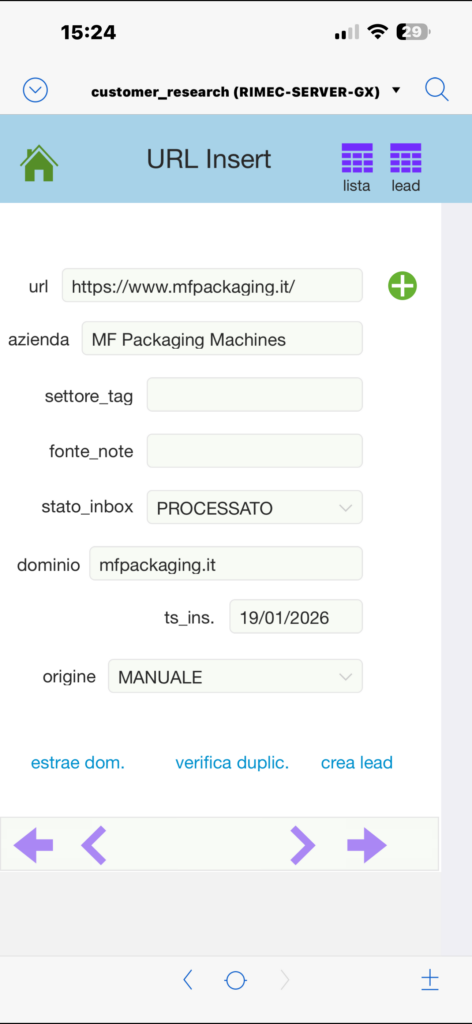
To keep the database clean, FileMaker checks if a company (or an email/domain) already exists. For fast checks I often use ExecuteSQL.
// Example (concept): check if an email already exists
Let ( [
  _email = leads::email ;
  _sql   = "SELECT COUNT(*) FROM Contacts WHERE email = ?" ;
  _cnt   = ExecuteSQL ( _sql ; "" ; "" ; _email )
] ;
  Case ( GetAsNumber ( _cnt ) > 0 ; "EXISTS" ; "NEW" )
)
This logic supports both deduplication and the red-highlight visual feedback during list review.
Fast “human” research with Find and Web Viewer
Automation is important, but I always want a quick human check.
Inside FileMaker I can:
- use Find to filter leads by city, sector keywords, status, or score range
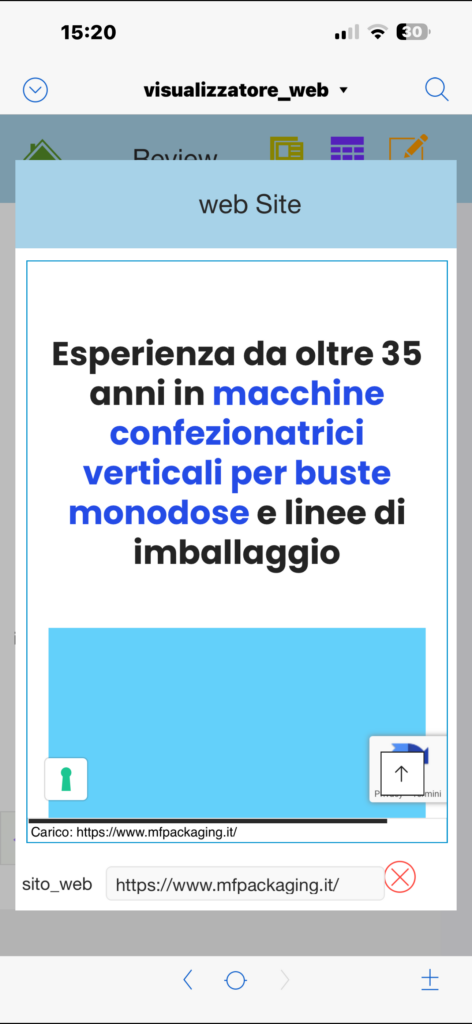
- open the company website directly in FileMaker using the Web Viewer
// Example script steps (concept)
Set Variable [ $url ; Value: leads::website ]
Set Web Viewer [ Object Name: "wv_site" ; URL: $url ]
This allows me to scan a website quickly and decide whether the lead deserves AI analysis or direct contact.
Python for automation (a part I really enjoy)
Python is mainly used for automation:
- downloading website pages
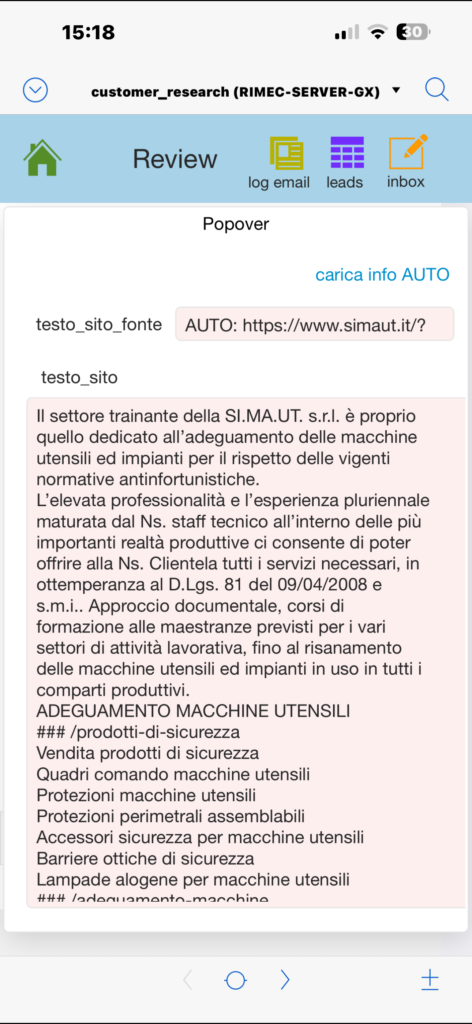
- extracting relevant text
- detecting email addresses
I am not a Python developer, but this is the part I really enjoy. AI helped me write, understand, and improve the code step by step.
import re

emails = re.findall(
    r"[A-Z0-9._%+-]+@[A-Z0-9.-]+\.[A-Z]{2,}",
    page_text,
    re.I
)
Simple code, but very effective.
What AI really does in this app
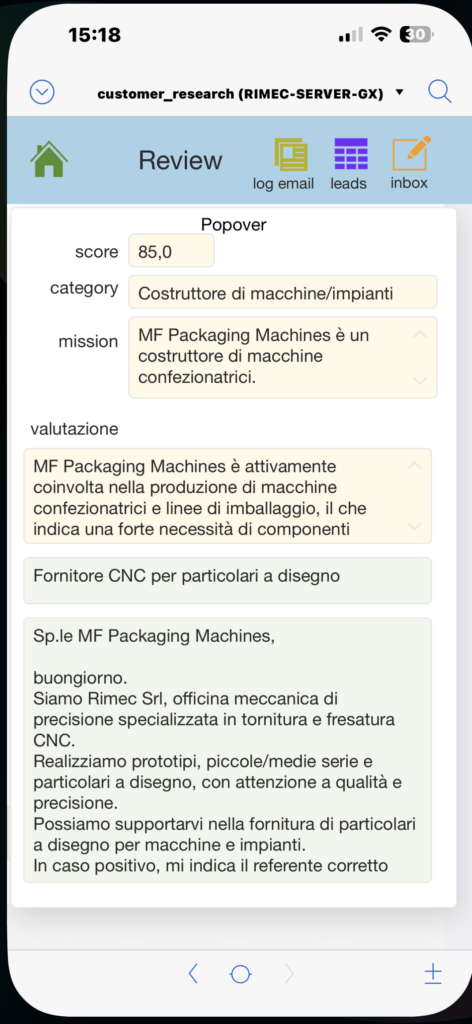
AI has a clear and limited role. It reads the website text and returns an evaluation.
It does not decide for me. It provides structured output:
- a score (0–100)
- a category (strong match / possible / unclear / unlikely)
- a short explanation
A simplified prompt example (conceptual):
- analyze the company website text
- estimate the probability that the company may need external CNC machining services
- explain the reasoning briefly
- do not invent information
- return JSON with score, category, and reasoning
Calling the AI API from FileMaker
AI calls are made directly from FileMaker.
The typical flow is:
- build the JSON payload using FileMaker JSON functions (JSONSetElement)
- send the request with Insert from URL and cURL options
- parse the JSON response and store values in FileMaker fields
Raw responses are saved in a log table, together with defensive checks for empty or invalid JSON.
Email workflow: prepared by AI, sent by FileMaker
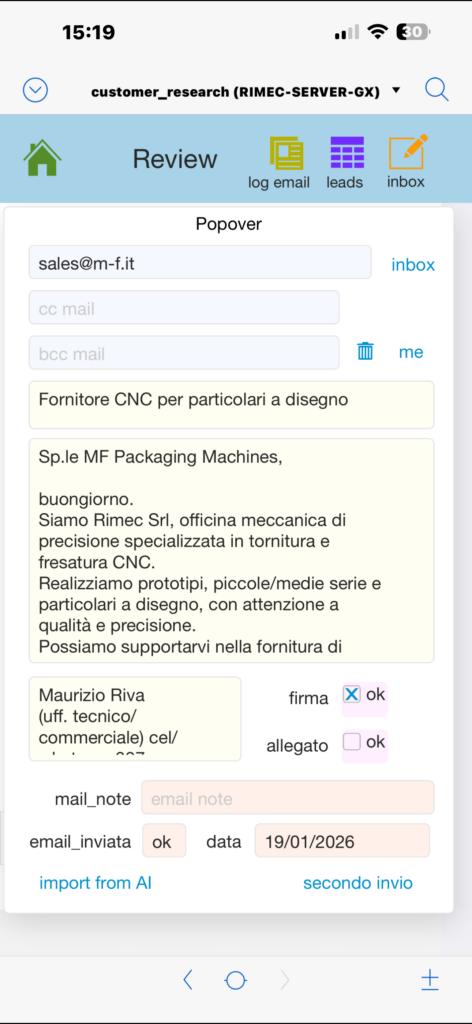
When a lead is interesting enough, AI prepares the first contact email. I review it, optionally edit it, and send it using FileMaker’s Send Mail function.
The system already includes:
- a standard email signature
- optional attachment support
- a second follow-up email prepared in advance
If everything looks good, sending the email takes just one click.
Logging: every action goes into a dedicated table
Every step is logged:
- import source (trade fair, directory, PDF, Excel)
- deduplication status (new or existing)
- AI score, reasoning, and raw response
- email draft, send date/time, follow-up status
This builds a complete and reliable research history over time.
From research lead to the official contacts database
When a company is confirmed as interesting, the lead is moved into the official FileMaker contacts database.
From there:
- it enters a dedicated contacts list
- it can be used for future communications
- it becomes part of the company’s long-term knowledge base
Small technical wins, big satisfaction
Even small results are rewarding: a red highlight that immediately shows history, a clean ExecuteSQL check, a working API call, a good AI explanation, or an email ready to send.
That is why I enjoy building tools like this: they are useful, but also genuinely fun.
Final thoughts
customers_research is not a commercial product. It is a practical project built from curiosity, passion for code, and real business needs.
FileMaker is the base, Python supports automation, and AI adds an intelligent layer for evaluation and communication. Step by step, it has become a system I actually use every day.
Leave a Reply